Atomic Design
Learn how atoms, molecules, organisms, templates and pages help you build consistent, reusable interfaces.
Atomic design is a way to build interfaces from small, reusable parts. Brad Frost, who introduced it, borrowed the idea from chemistry: atoms combine into molecules, and molecules into organisms. This lesson covers the five levels and how they help teams build consistent design systems.
Atoms
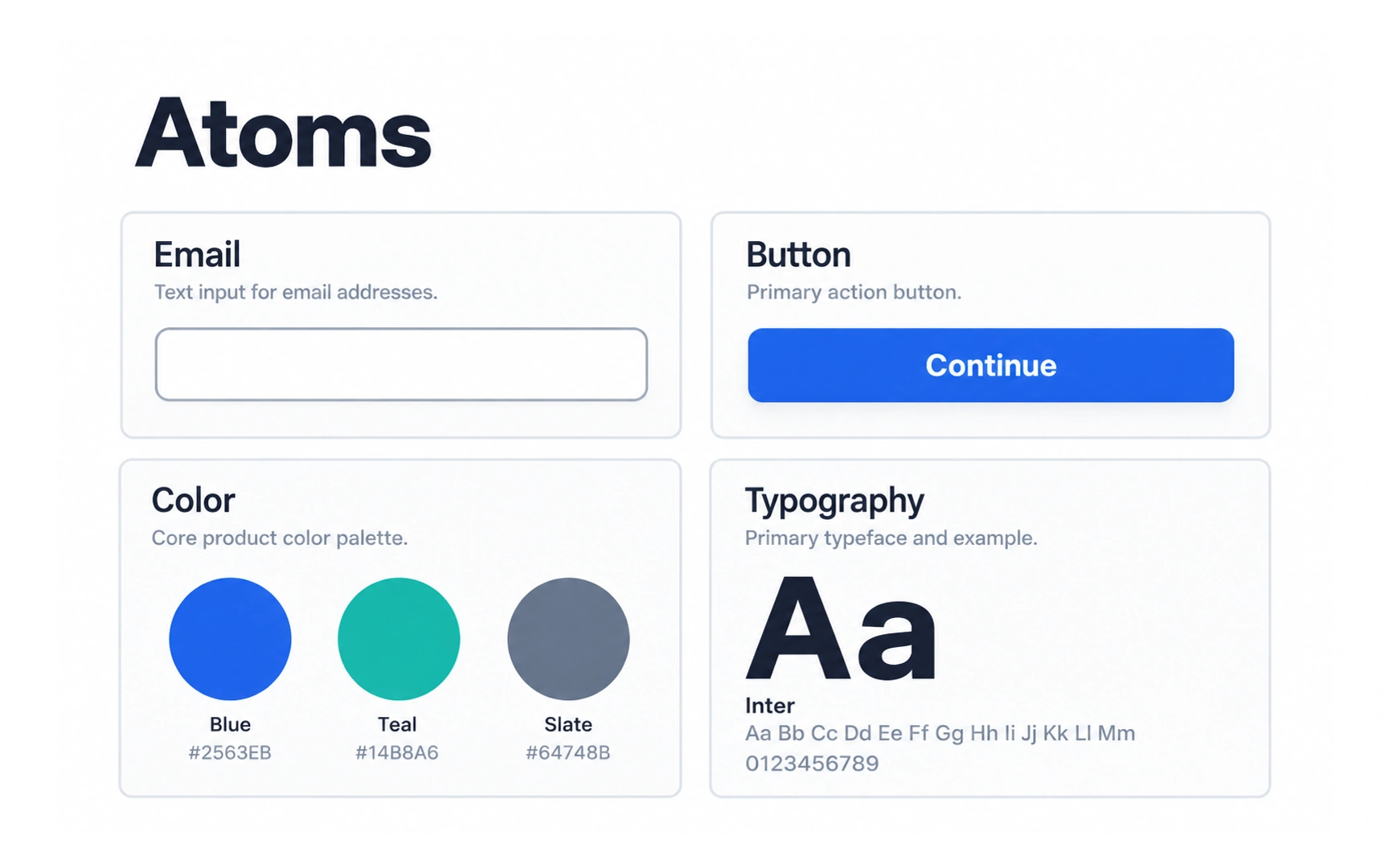
Atoms are the smallest building blocks of an interface. In the example, they include a text input, a button, a color palette and a typeface.
On its own, an atom does little. A button with no context or an input with no label does not yet help anyone complete a task. Atoms become useful when you combine them.
Because everything else is built from atoms, changing one has a wide effect. Update the primary blue or the base typeface, and every component that uses it changes too.
Molecules
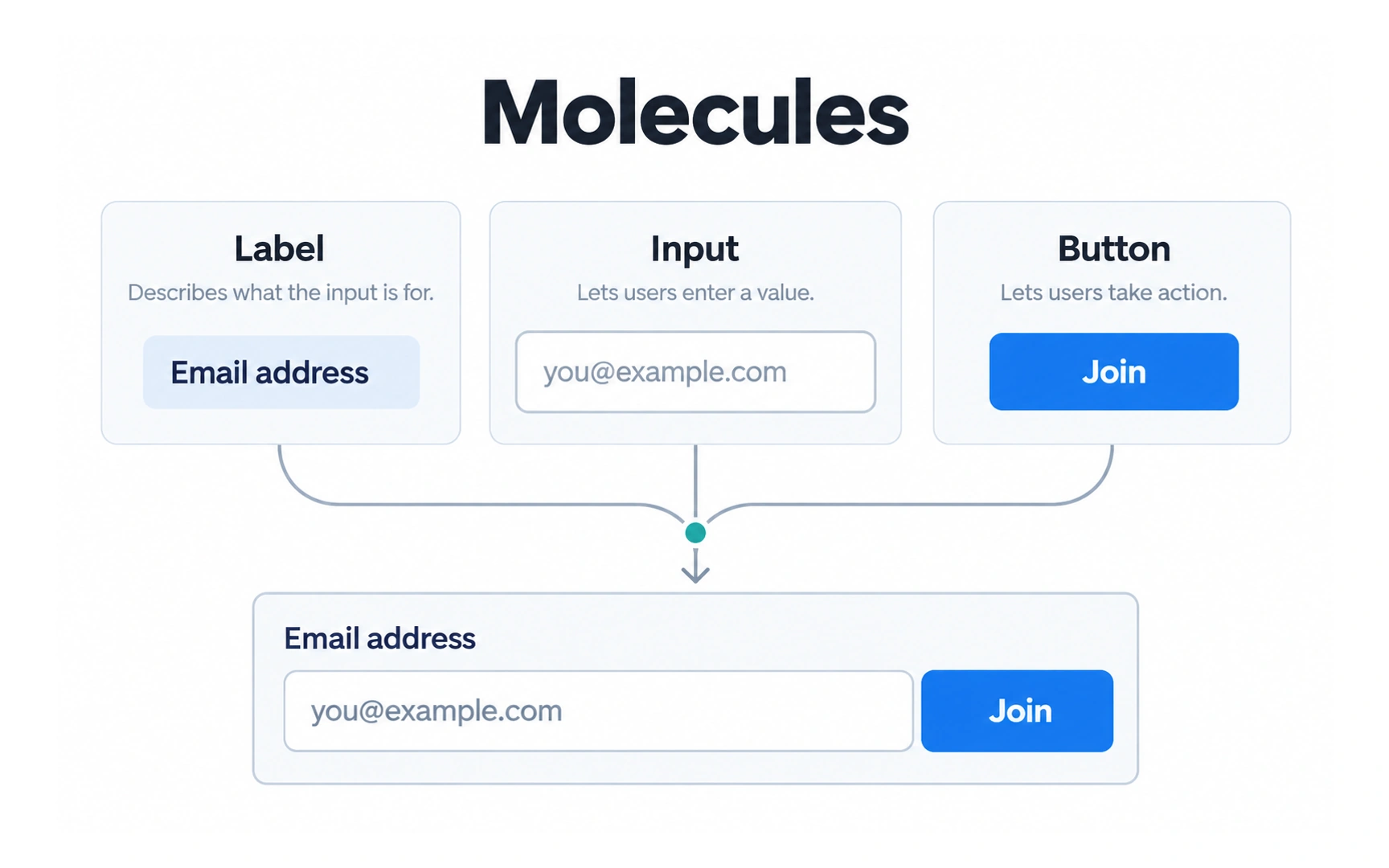
A molecule is a small group of atoms that work together as one unit. In the example, a label, an input and a button combine into an email sign-up field.
Each atom now has a clear job: the label explains the field, the input collects the email and the button submits it.
Keep molecules simple and focused on one task. A small, focused molecule is easier to reuse in different places, such as a footer, a dialog or a landing page.
Organisms
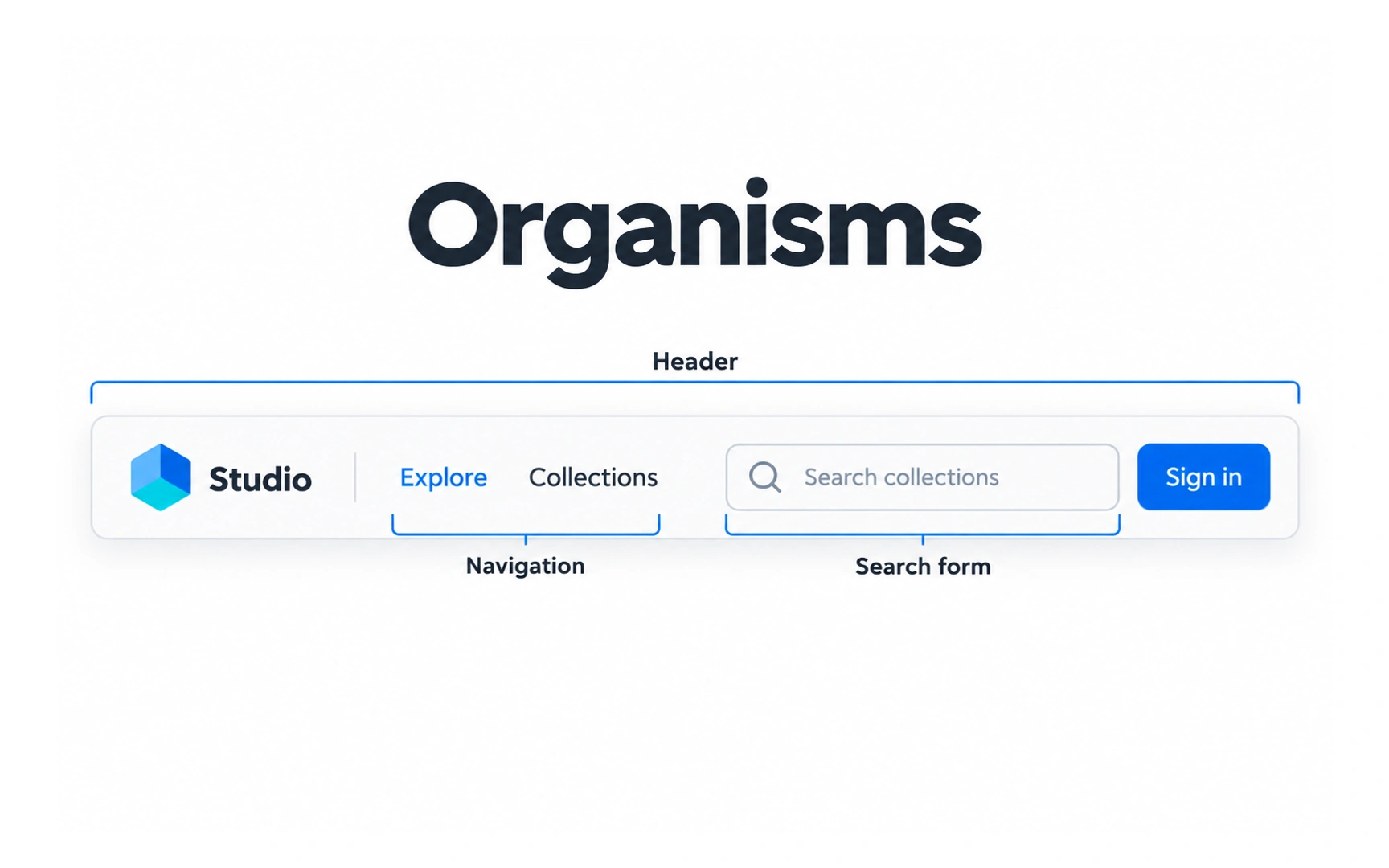
An organism is a larger section of an interface, built from molecules, atoms or even other organisms. In the example, a header combines the logo, the navigation and a search form.
Organisms are the recognizable regions of a screen, such as headers, product grids, footers and sign-up sections.
What makes something an organism is its role as a distinct part of the interface, not an exact count of the parts inside it.
Templates
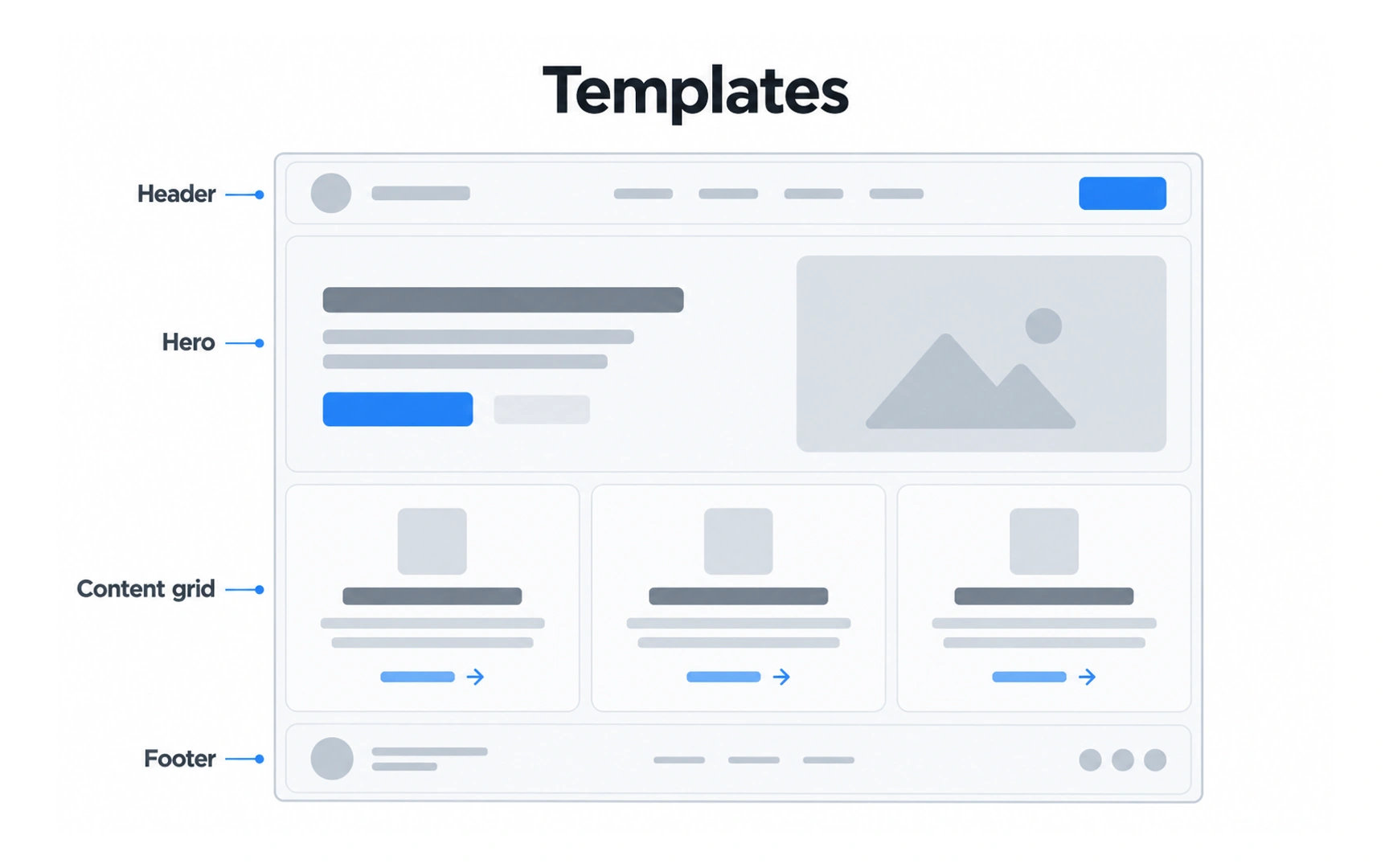
A template arranges organisms into a page layout. In the example, a header, hero, content grid and footer are placed in order, with gray placeholders instead of real text and images.
Templates focus on structure. They show where each section goes and how much room it gets, before the final content is ready.
Templates define the content structure. Test them with representative content early, rather than waiting for final copy.
Pages
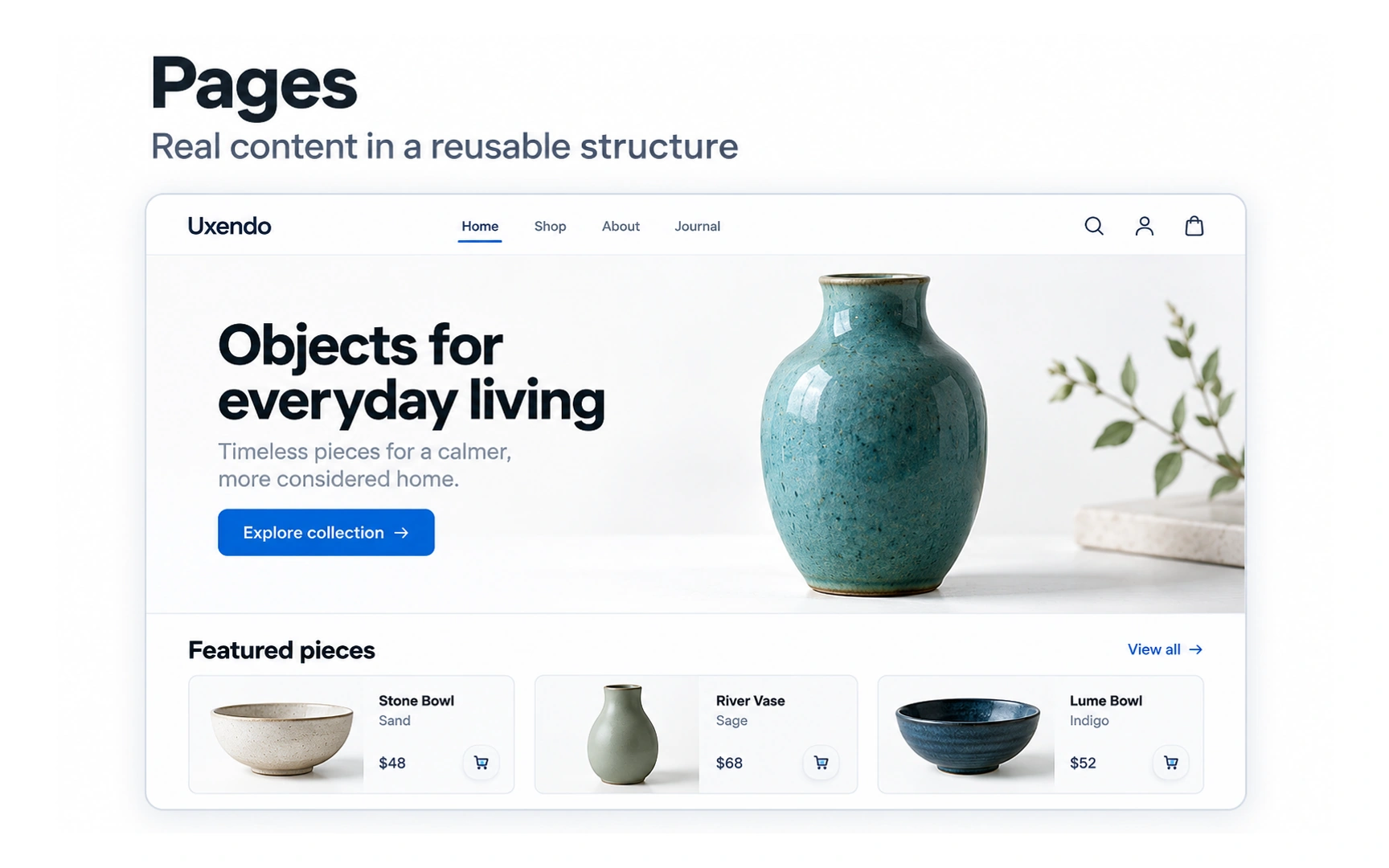
A page is a template filled with real content. In the example, the placeholders are replaced by a real headline, product photos, prices and an Explore collection button.
Real content tests the design. A long product name, a missing photo or a short headline can show problems that placeholders hide.
Pages put real content into a template so you can evaluate the whole experience, in a mockup, prototype or working interface.
Atomic design in practice
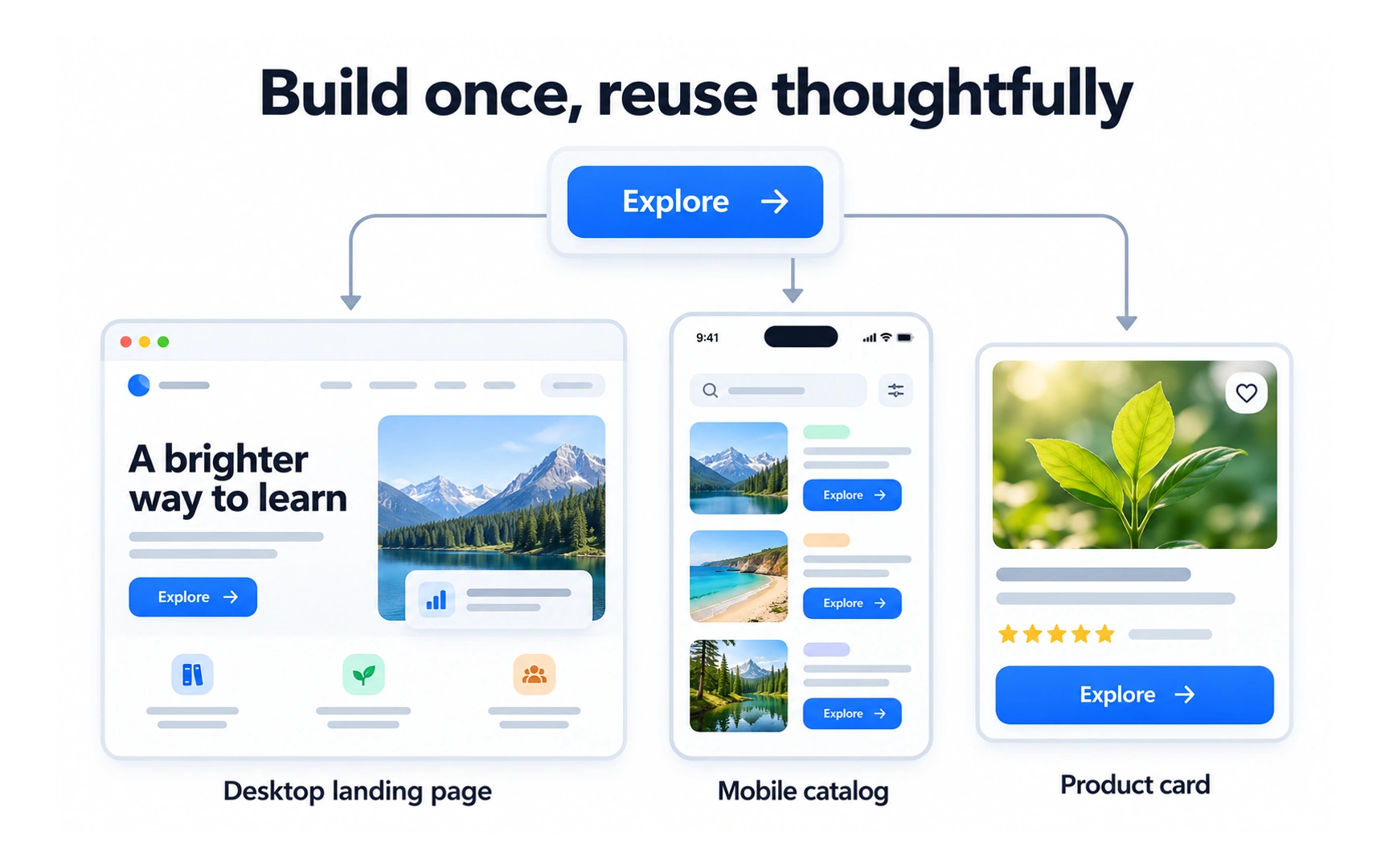
Atomic design helps you build a design system instead of separate screens. In the example, one Explore button is reused on a desktop landing page, a mobile catalog and a product card.
When the button is defined once, a change to it can carry through to every place that uses it. This keeps the product consistent and saves time.
The five levels are a way to think, not strict rules. Teams often skip or rename levels, and that is fine as long as everyone shares the same vocabulary.
REFERENCES
TOPICS
FROM COURSE