

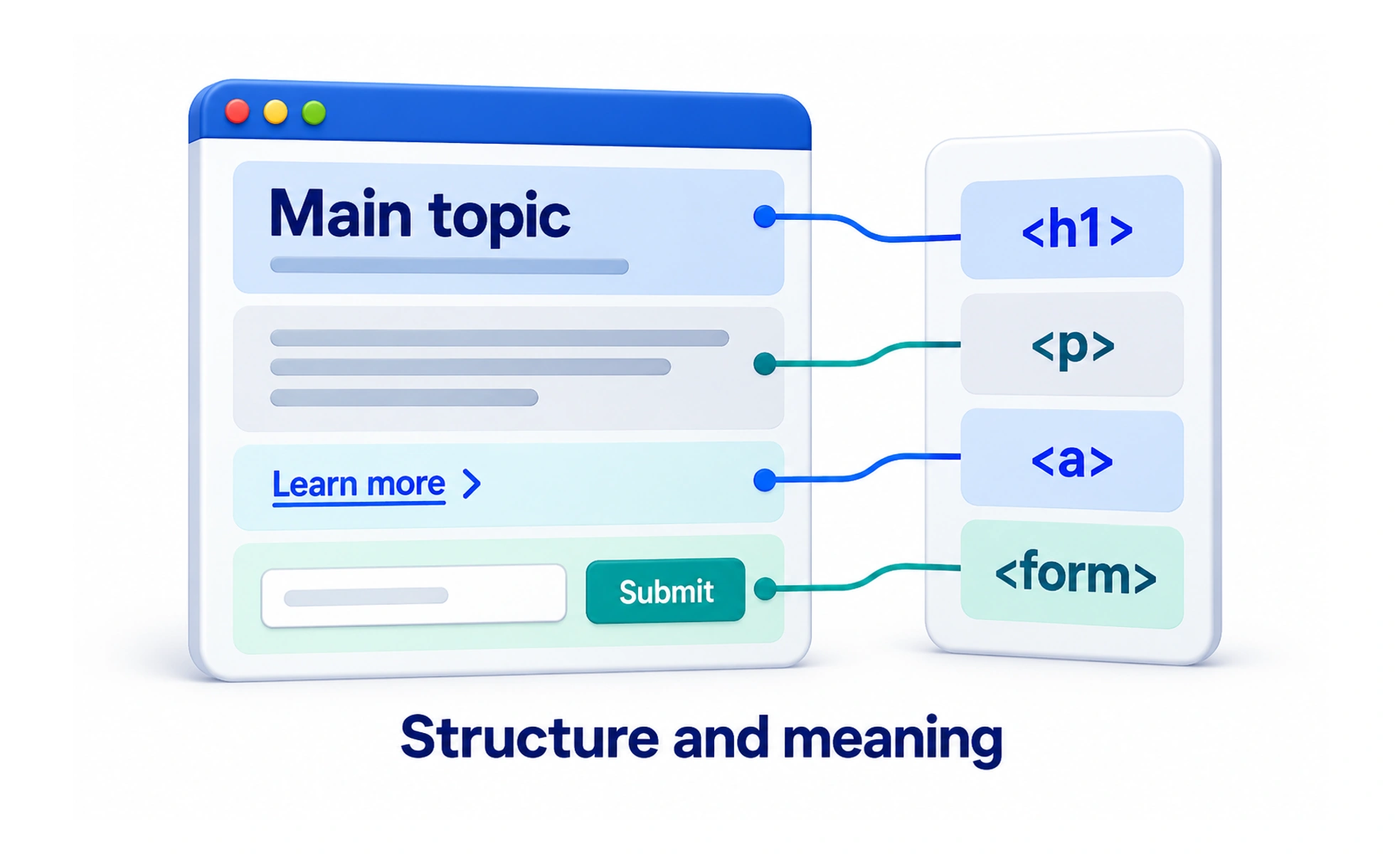
A browser interprets an HTML document to construct the page’s structure. CSS controls presentation, and JavaScript can add behavior. These responsibilities interact, but a robust page starts with elements that express what the content and controls actually are.
Use elements for their meaning
A heading introduces a section. A link points to a destination. A button performs an action. Selecting an element because it resembles the intended design reverses the responsibility: styling can change appearance while semantic meaning remains useful to browsers and assistive technology.
Heading levels should describe the content hierarchy rather than the desired font size. Use paragraphs for prose and lists for groups of items that form a list.
Prefer built-in behavior
Native controls provide behavior that custom elements otherwise need to recreate. A button supports keyboard activation. A form connects inputs and submission. Labels give fields an accessible name and make their purpose explicit.
- Use a real link with a destination for navigation.
- Use buttons for actions and set their type deliberately within forms.
- Associate a visible label with each input.
- Provide useful alternative text for informative images; decorative images need different treatment.
Semantic HTML is a foundation for accessibility, not a complete accessibility audit. Content, styling and interaction can still make the page difficult to use.
Example: a sign-up form
A sign-up form uses labeled email and password inputs and a submit button. Appropriate input types and autocomplete values help browsers understand the fields. Submission errors explain what needs attention without deleting the entered information.
Client-side validation can provide quick feedback. The server must still validate the submitted data, because browser checks can be bypassed and cannot enforce every account rule.
Keep content and trust boundaries clear
Displaying user text is different from interpreting it as HTML. Insert untrusted values as text or pass permitted markup through an appropriate sanitization process. Do not make raw HTML rendering the default way to display descriptions or comments.
HTML describes the page that is delivered. A framework can generate it, but the team remains responsible for the resulting document structure and behavior.
Frequently asked questions
Key takeaways
- Use HTML elements that match the meaning and purpose of the content.
- Use links for navigation and buttons for actions.
- Native semantics support accessibility but do not guarantee it.
- Validate data on the server and treat untrusted content as text by default.