

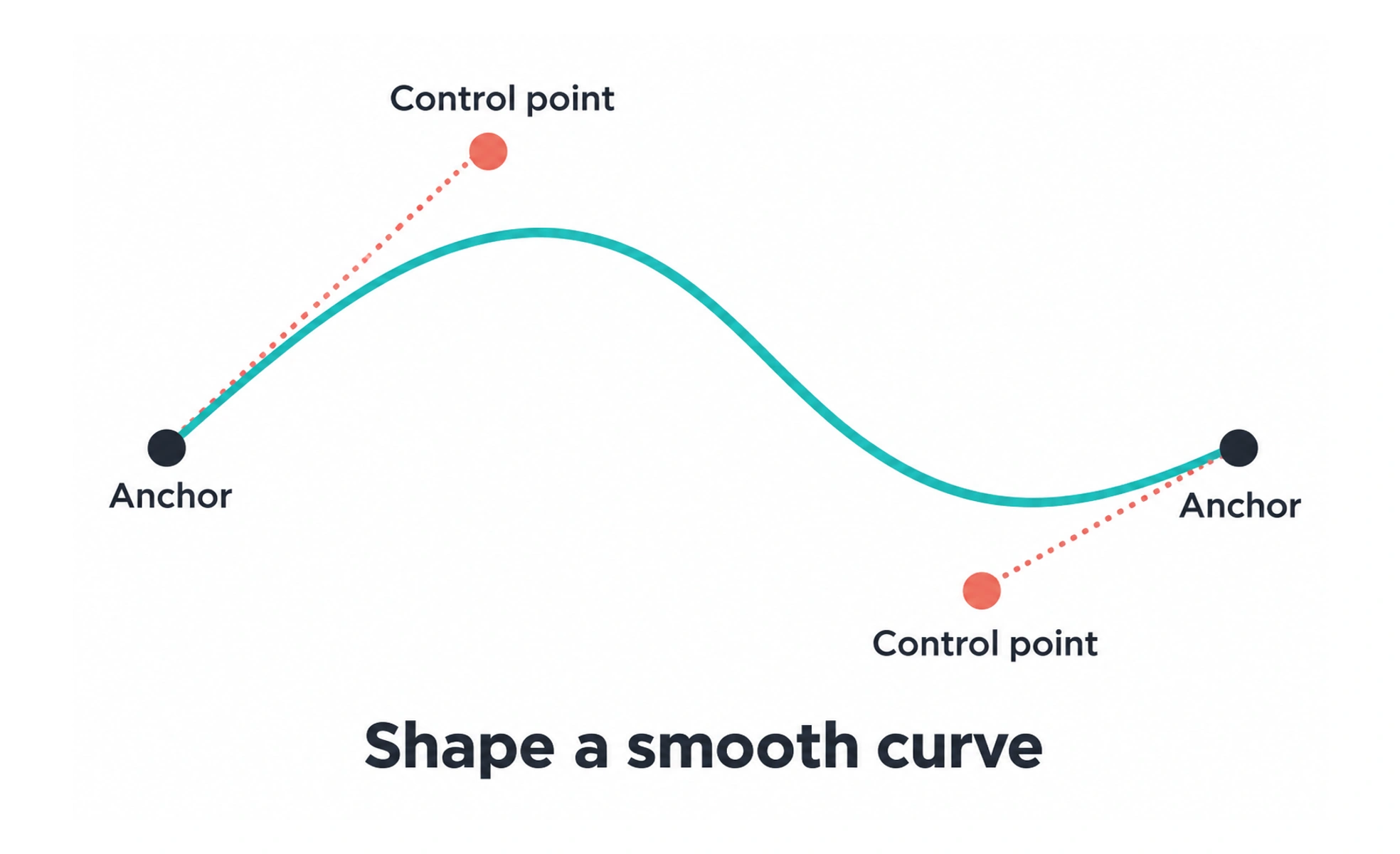
In 3D and vector design, a spline is a curve described by connected segments and control points. The name Spline also identifies a browser-based design tool, a separate use of the same word.
A flexible strip guided by a few points can describe a flowing shape. A digital spline similarly gives designers control over a path without placing every point along it manually.
Understand the curve representation
Control points and the chosen curve method determine the shape between points. Different spline types use those controls differently, so a curve does not always pass through every control point. Learn how the current tool interprets points and handles before trying to reproduce a precise contour.
Use curves for a clear purpose
Curves can describe outlines, paths, profiles, and movement in a 3D scene. Start with the simplest structure that represents the intended shape. Excessive points can make adjustment harder and introduce unwanted bumps, while too few controls may not capture an important change in direction.
Check the final output
A curve’s appearance can change when converted, sampled, extruded, or exported. Review smoothness, scale, and the resulting geometry in the destination. A clean editing view does not prove that a web scene or rendered asset has the same performance and appearance.
Distinguish the Spline application
Spline is also the name of a tool for creating interactive visual experiences in the browser. When discussing a project, clarify whether “spline” means a curve or that application. Evaluate any interactive scene for loading cost, responsive layout, accessible alternatives, and whether the 3D content helps the task.
Frequently asked questions
Key takeaways
- A geometric spline uses control points and a curve method.
- Different methods interpret their controls differently.
- Review converted and exported output.
- Distinguish the curve concept from the Spline product.